WARNING: Tested on XP only
I’ve written about a Sysinternals program in the past, and this time I’m going to introduce you to Contig. Contig is a simple program that can defragment files very quickly. The only drawback is that it’s a command-line program. Well…say welcome to Power Defragmenter GUI. PDG is a GUI wrapper for the Contig program.
1. Download
Go ahead and download Power Defragmenter GUI from Softpedia. Installation is just a matter of unzipping the folder to some location you want (I’d put it in C:\Program Files\Power Defragmenter GUI\).
2. Run
Now, run the program (Power Defragmenter, not Contig).
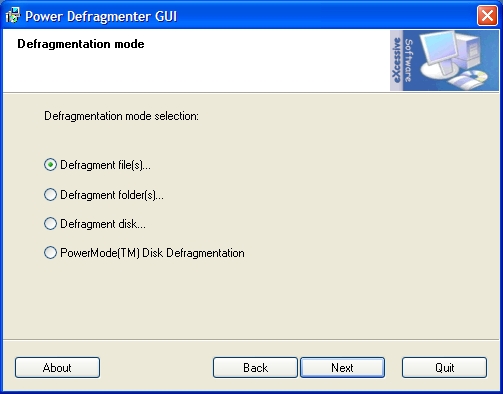
Select what you want to defrag, like a single file, a folder, or an entire disk:
3. Wait
Now just wait some time for the program to defrag your files. You’ll see the Contig running in a command prompt. It will be really fast, so don’t get a seizure.
Do you have any tips for defragging?